
Reflex Premium Services
How to add the account in Beneficiary List for 3rd Party (RHB account)?
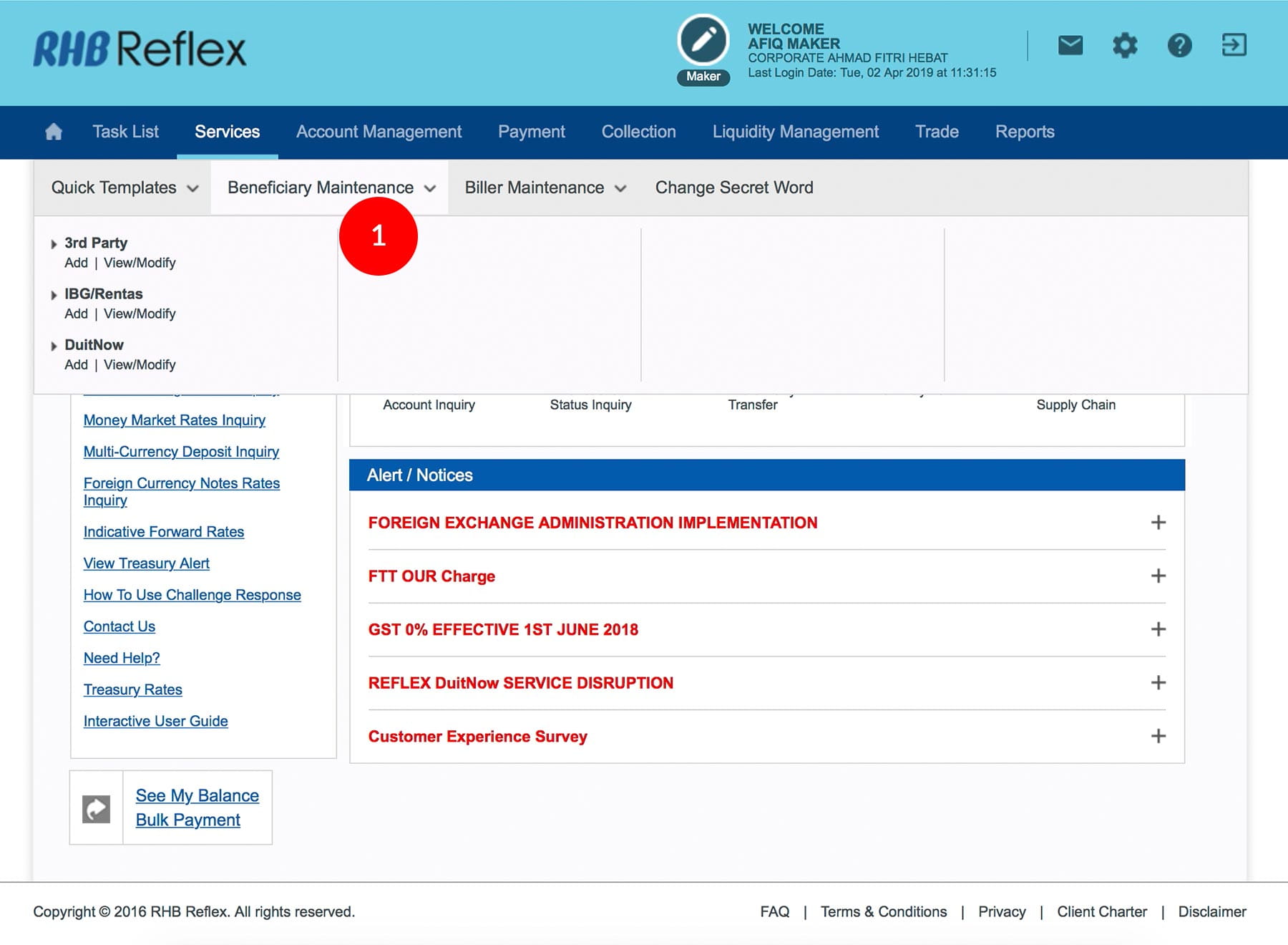
-
1.Login as User Data Entry and under “Services” tab; select “Beneficiary Maintenance”.
-
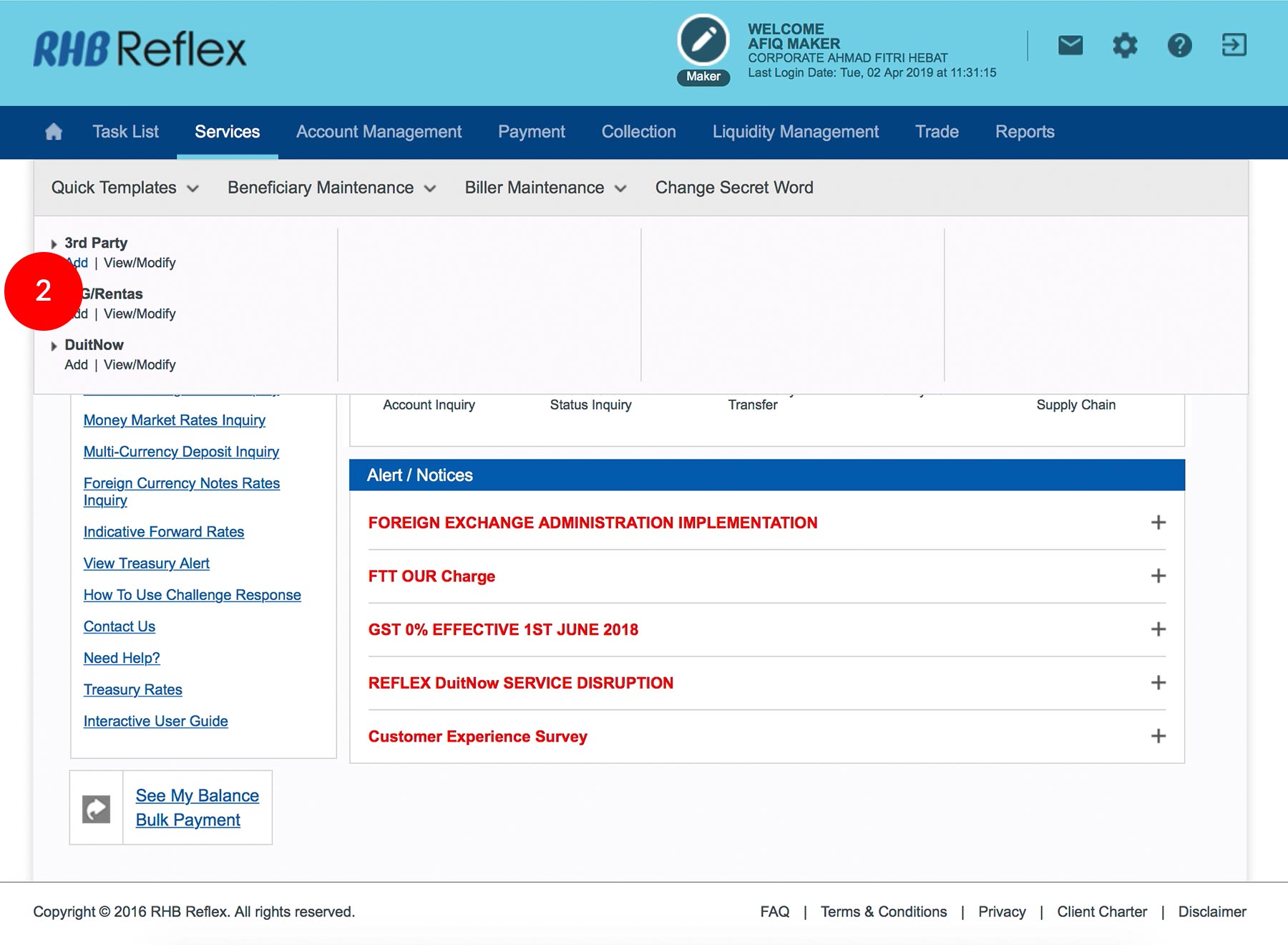
2.Click “3rd Party”, click “Add”.
-
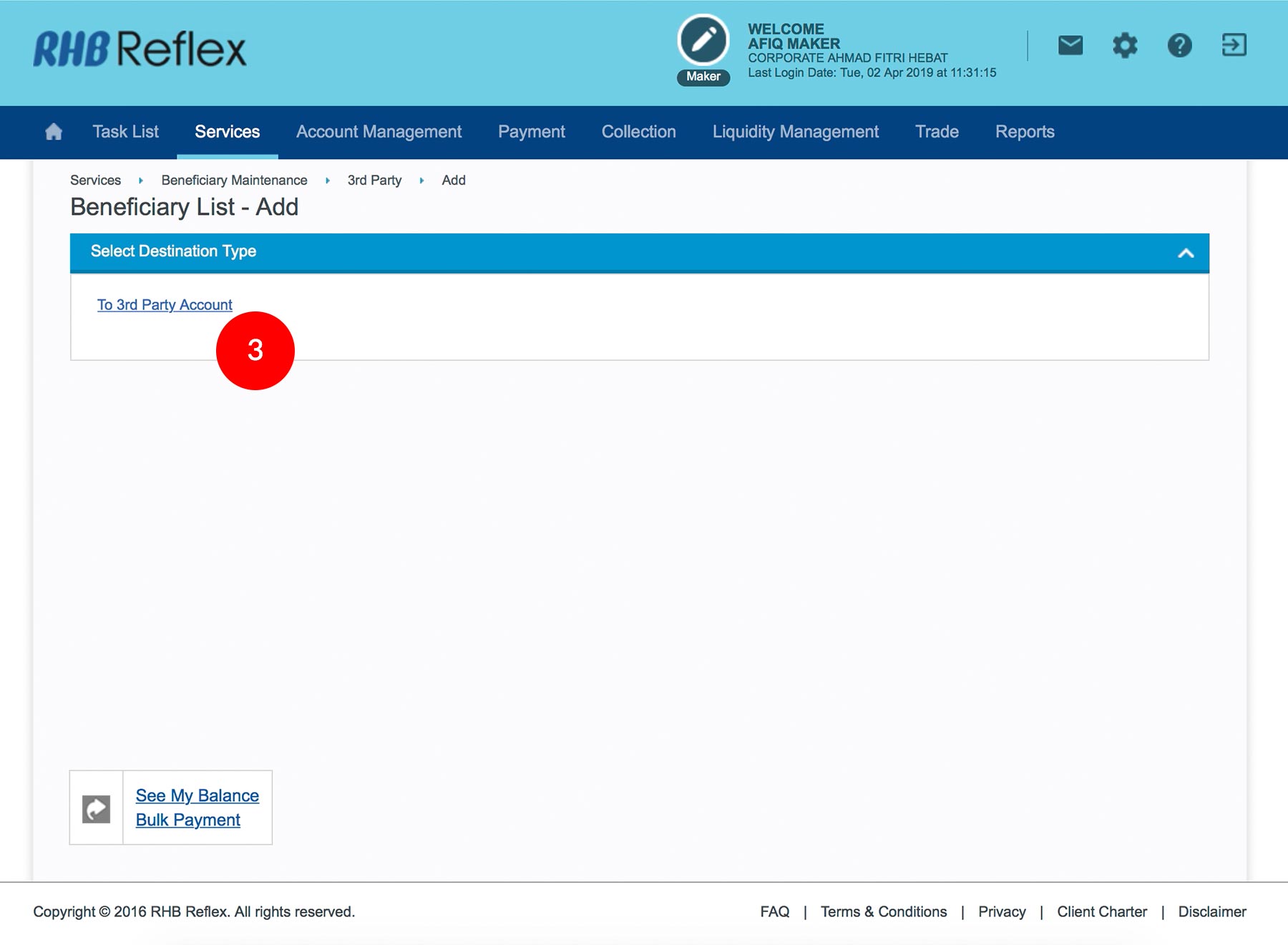
3.Click “To 3rd Party Account”.
-
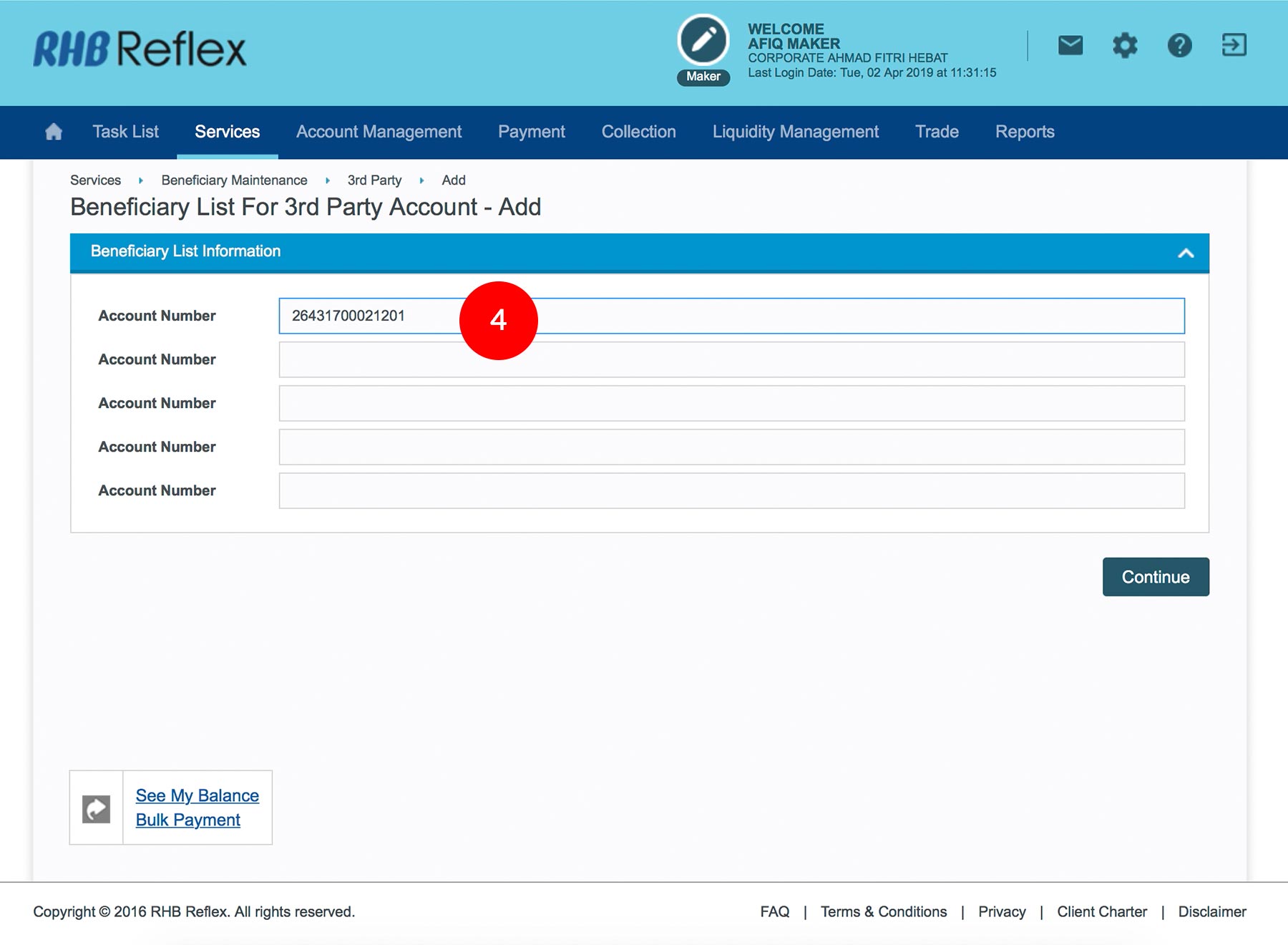
4.Key in the Beneficiary RHB Account Number.
-
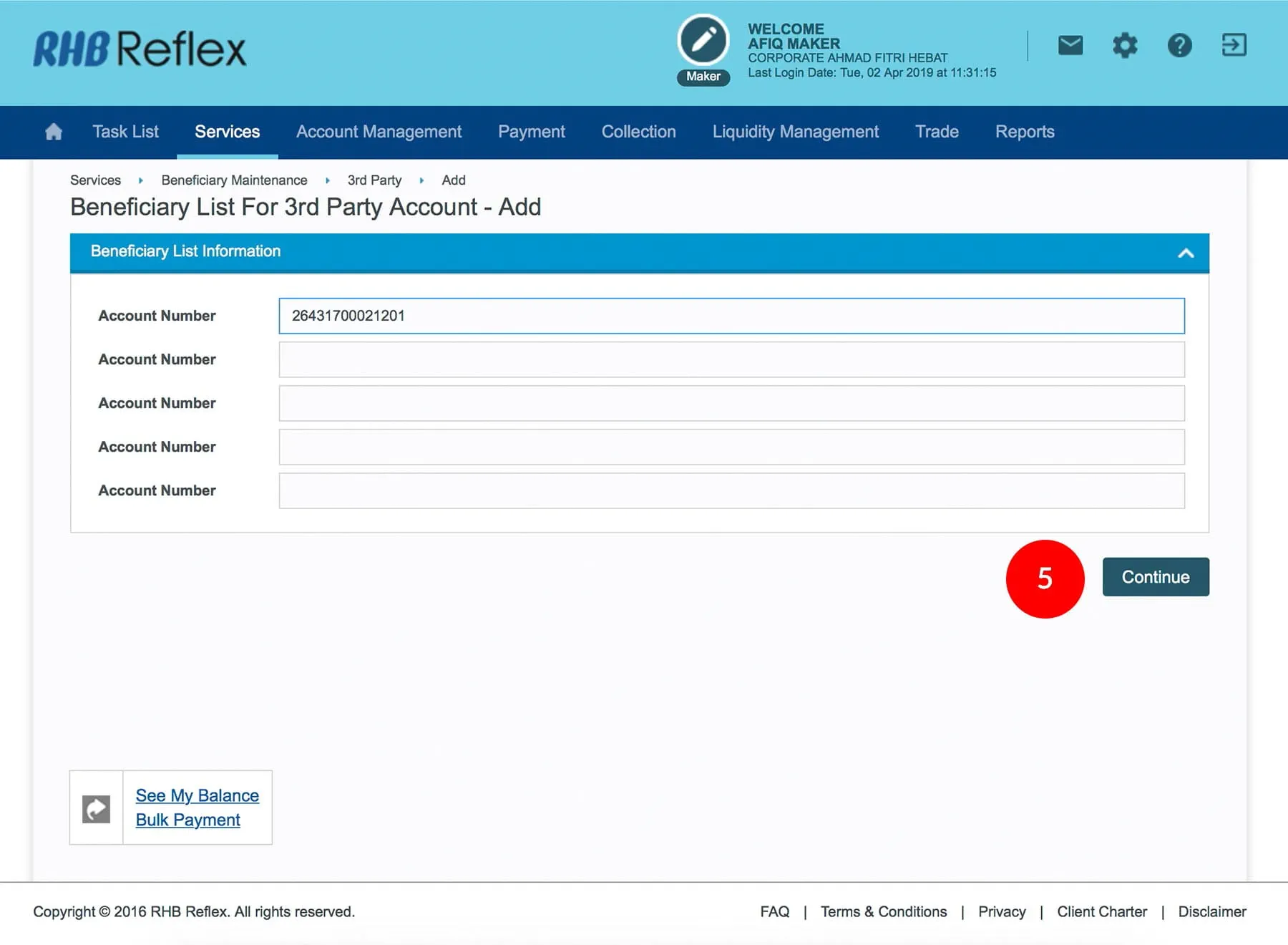
5.Click

to verify
the information. -
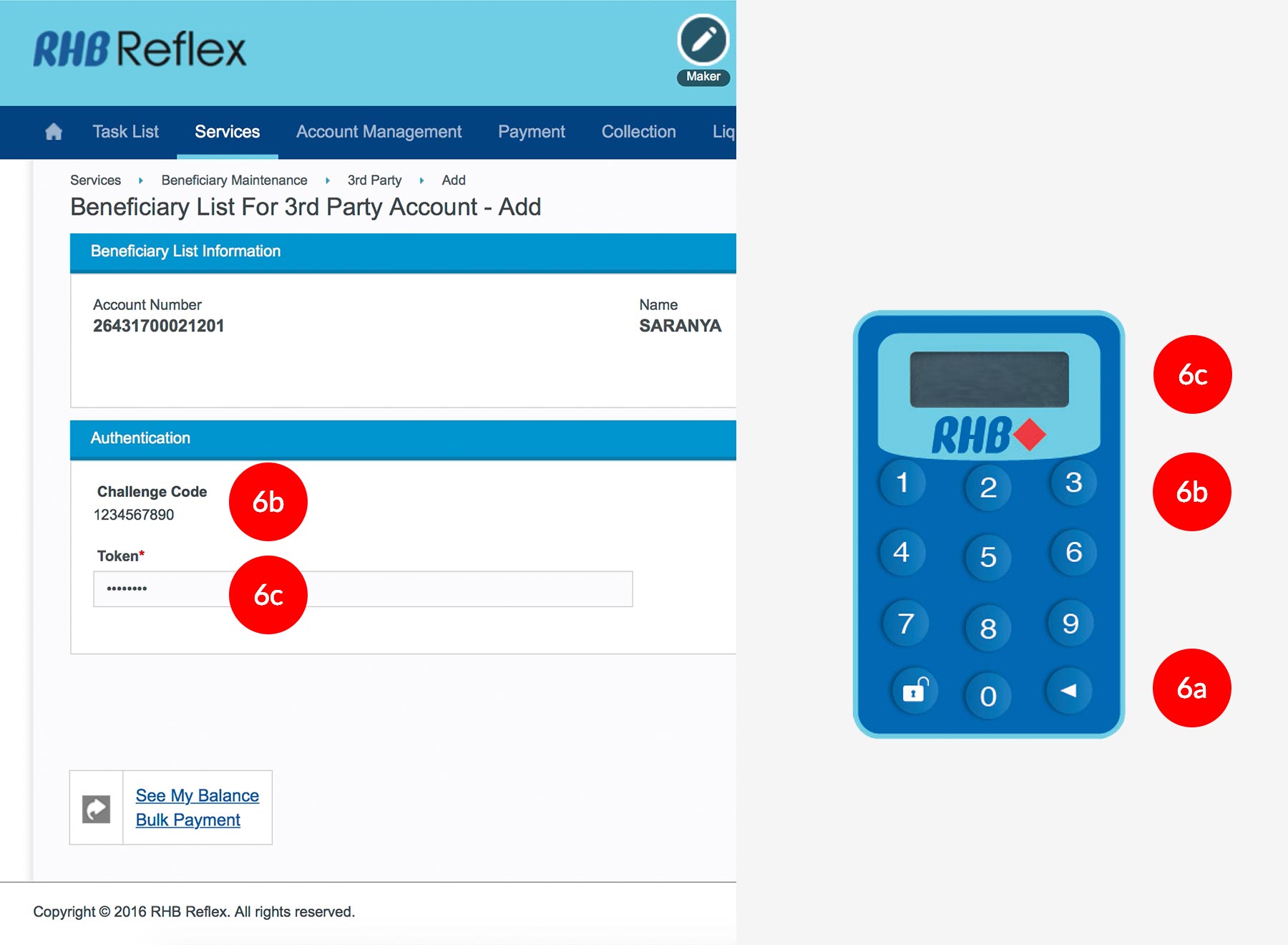
6.To authenticate your transaction. Please refer steps below:
a) Press the
button and enter the PIN Number. The word “APPLI” or
"rHb" will be displayed and press 2.b) Enter the Challenge Code into the Token. c) An 8-digit number will be generated by the Token and key in this number at the Token field. -
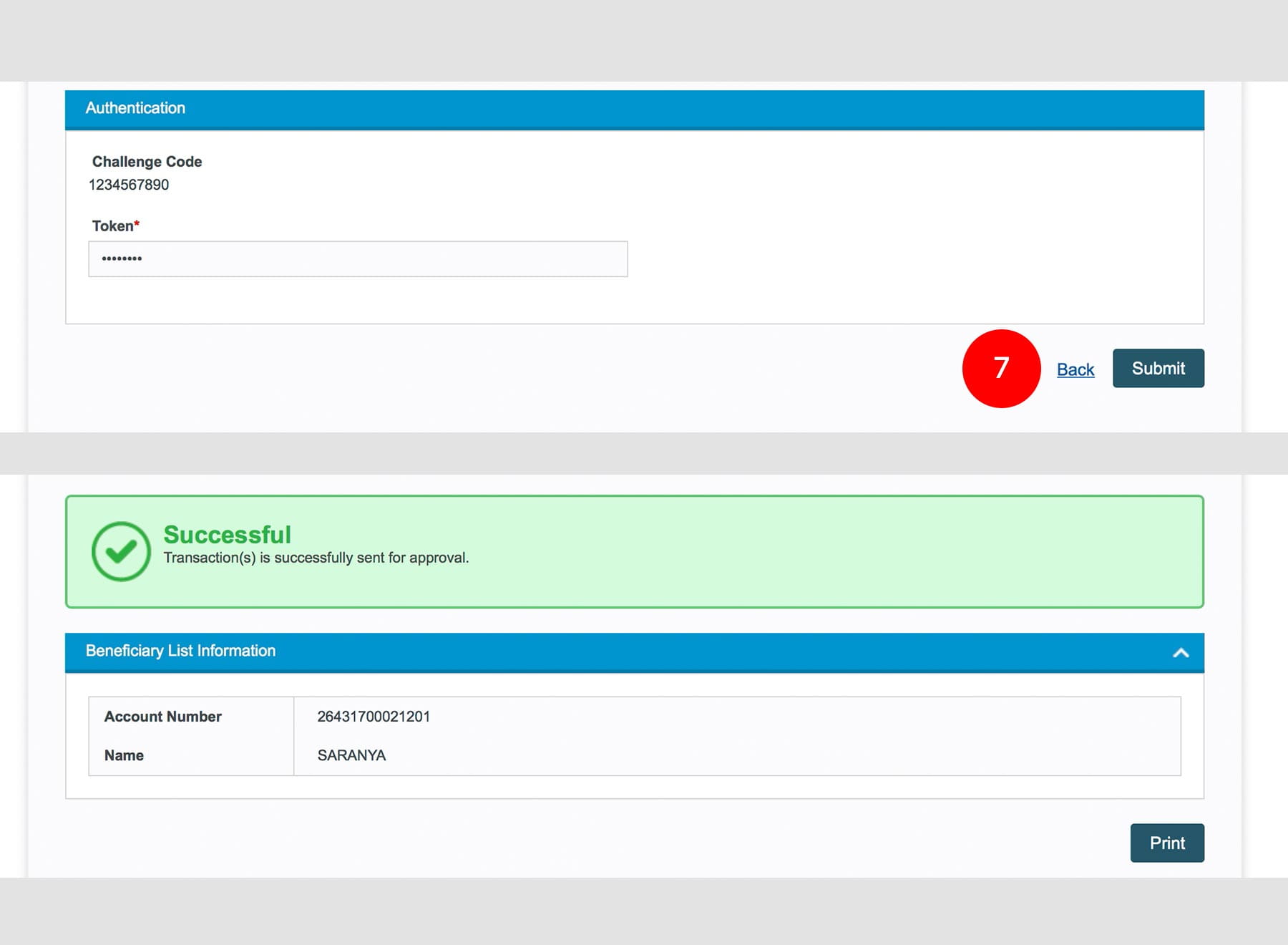
7.Click

to proceed.
1 of
7
-
1.Login as User Data Entry and under “Services” tab; select “Beneficiary Maintenance”.
-
2.Click “3rd Party”, click “Add”.
-
3.Click “To 3rd Party Account”.
-
4.Key in the Beneficiary RHB Account Number.
-
5.Click
to verify
the information. -
6.To authenticate your transaction. Please refer steps below:
a) Press the
button and enter the PIN Number. The word “APPLI” or
"rHb" will be displayed and press 2.b) Enter the Challenge Code into the Token. c) An 8-digit number will be generated by the Token and key in this number at the Token field. -
7.Click
to proceed.
-
1.Login as User Data Entry and under “Services” tab; select “Beneficiary Maintenance”.
-
2.Click “3rd Party”, click “Add”.
-
3.Click “To 3rd Party Account”.
-
4.Key in the Beneficiary RHB Account Number.
-
5.Click
to verify
the information.
-
6.To authenticate your transaction. Please refer steps below:
a) Press the
button and enter the PIN Number. The word “APPLI” or
"rHb" will be displayed and press 2.b) Enter the Challenge Code into the Token. c) An 8-digit number will be generated by the Token and key in this number at the Token field.
-
7.Click
to
proceed.