
-
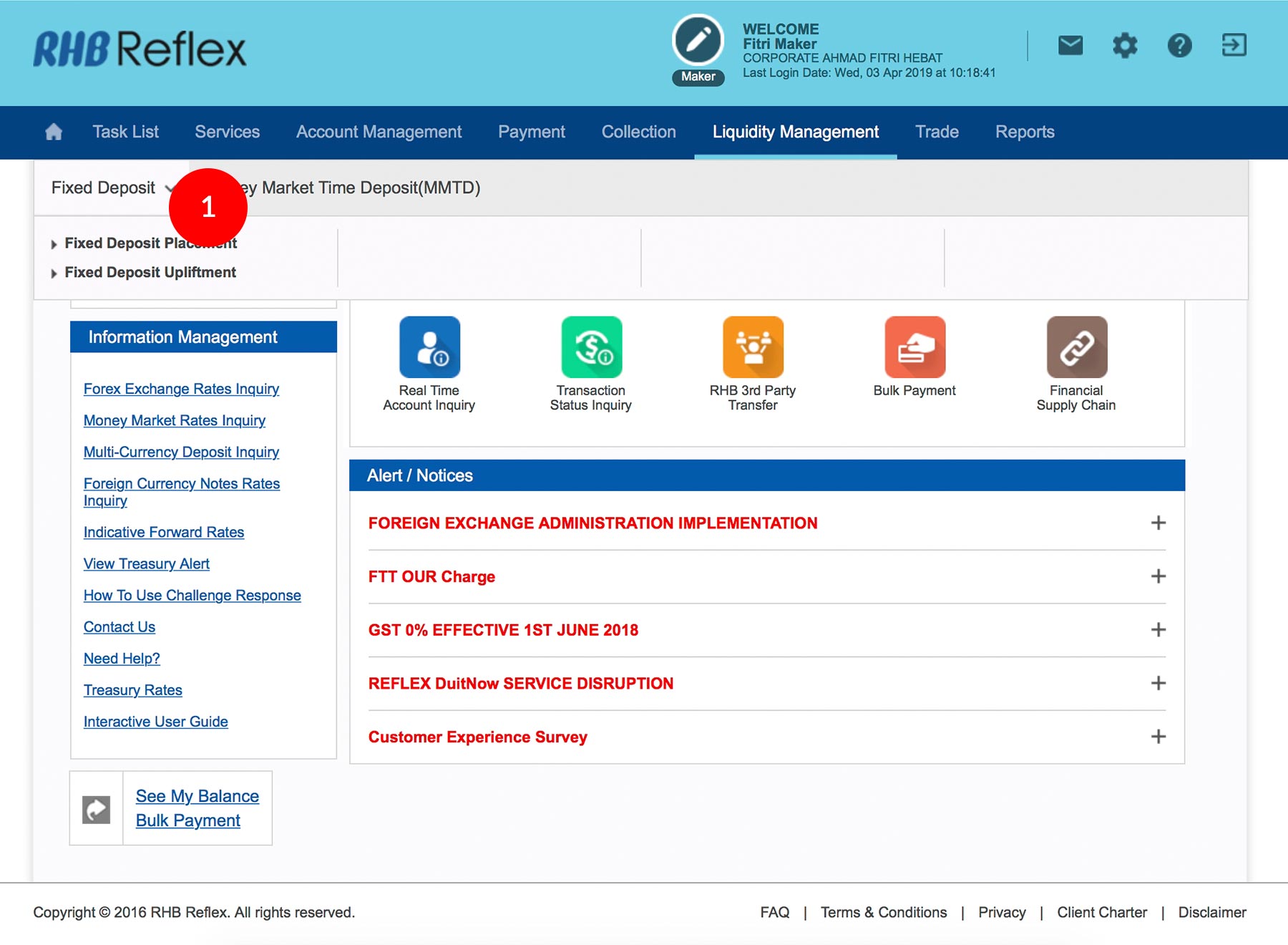
1.Login as Data Entry and under “Liquidity Management” select “Fixed Deposit”.
-
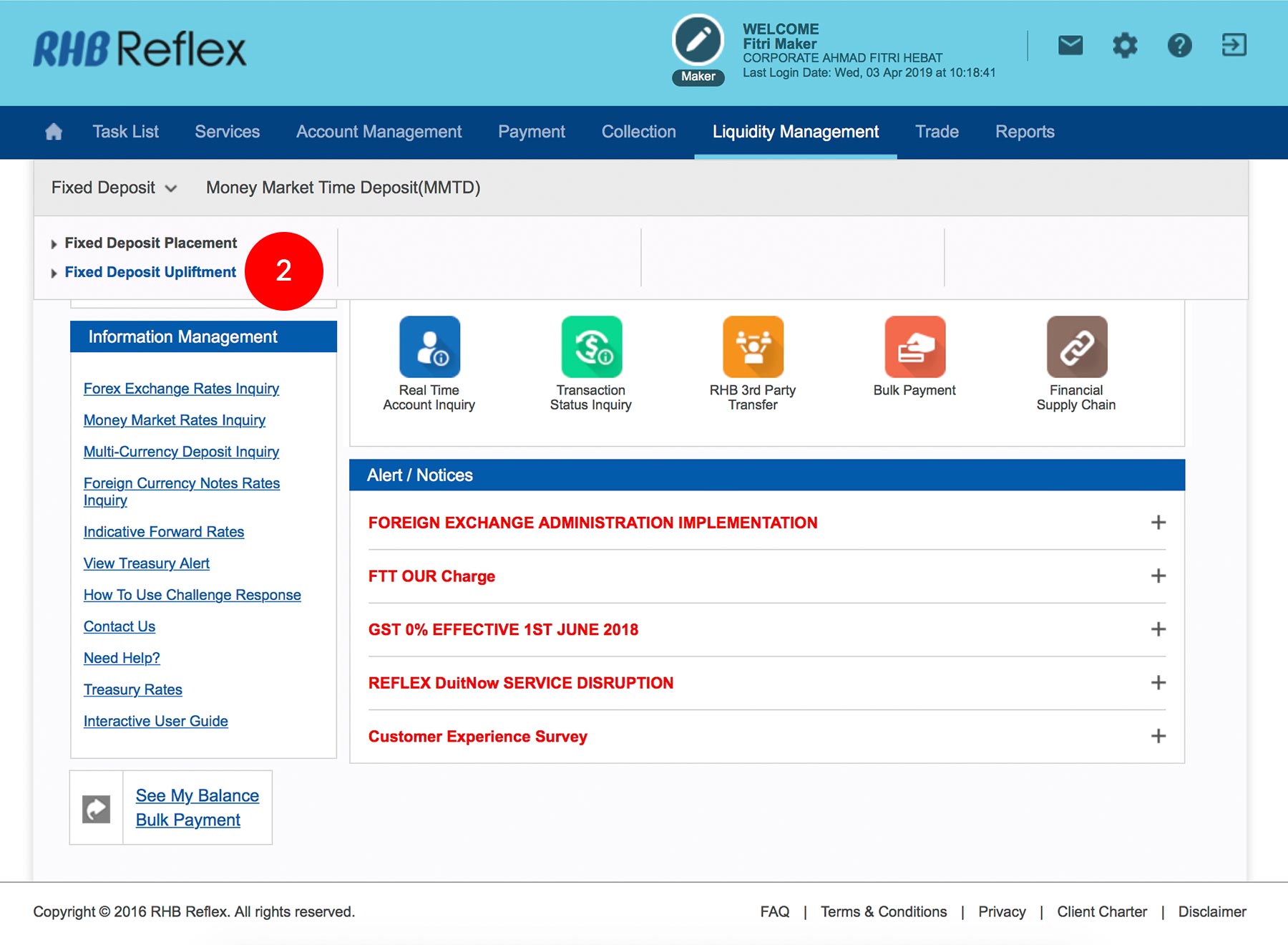
2.Click “Fixed Deposit Upliftment”.
-
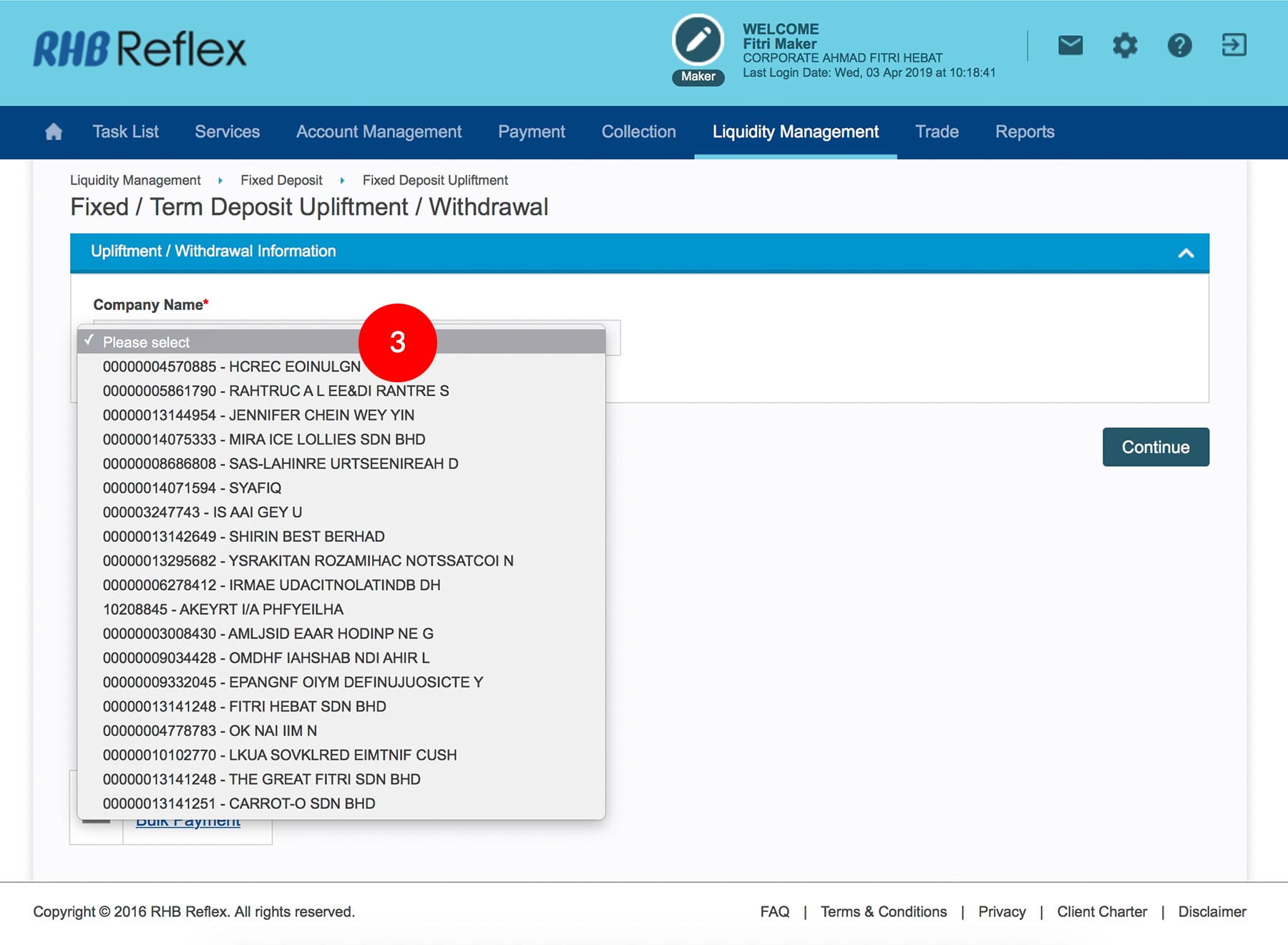
3.Select “Company Name” from the drop down menu.
-
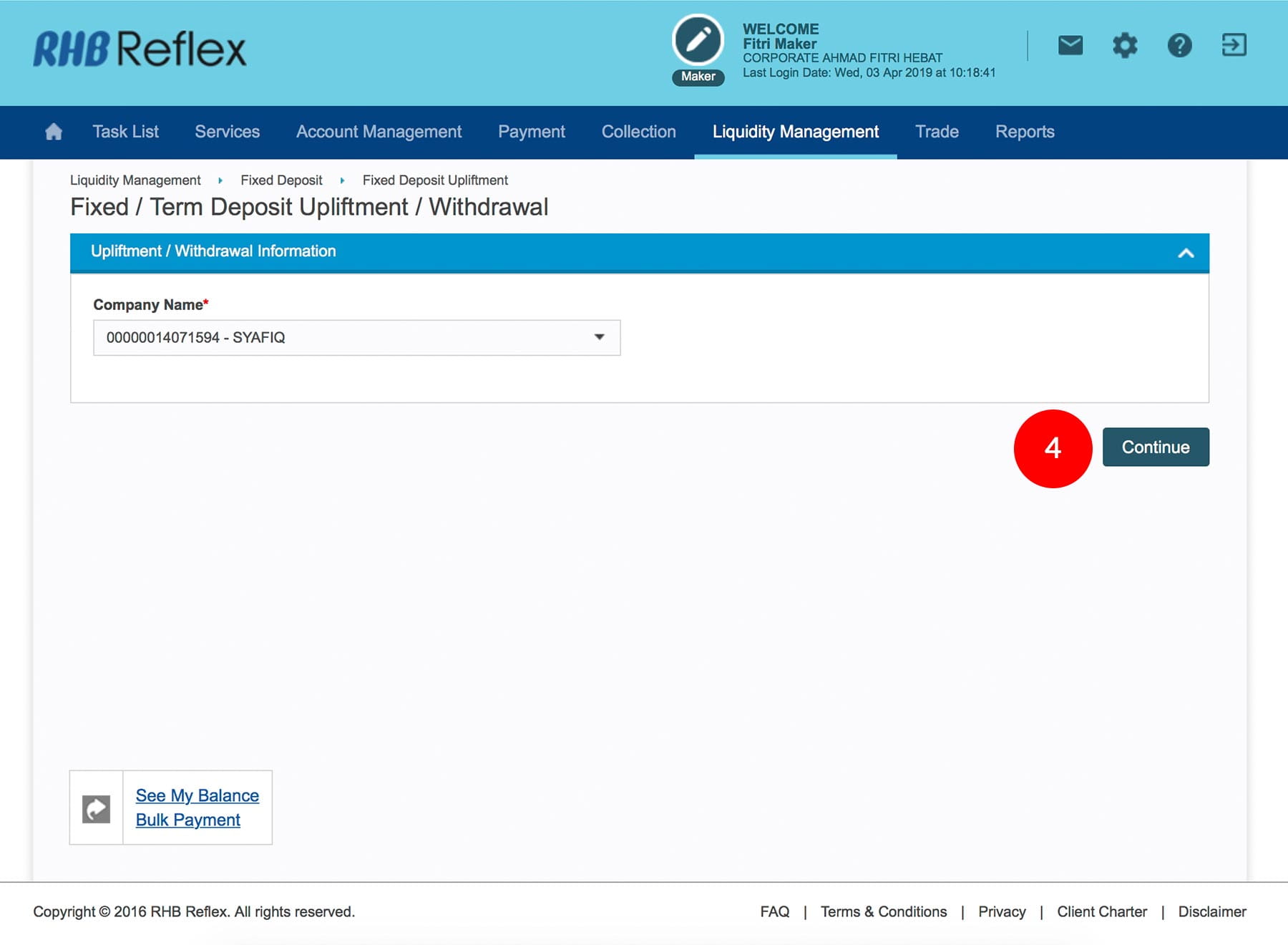
4.Click

. -
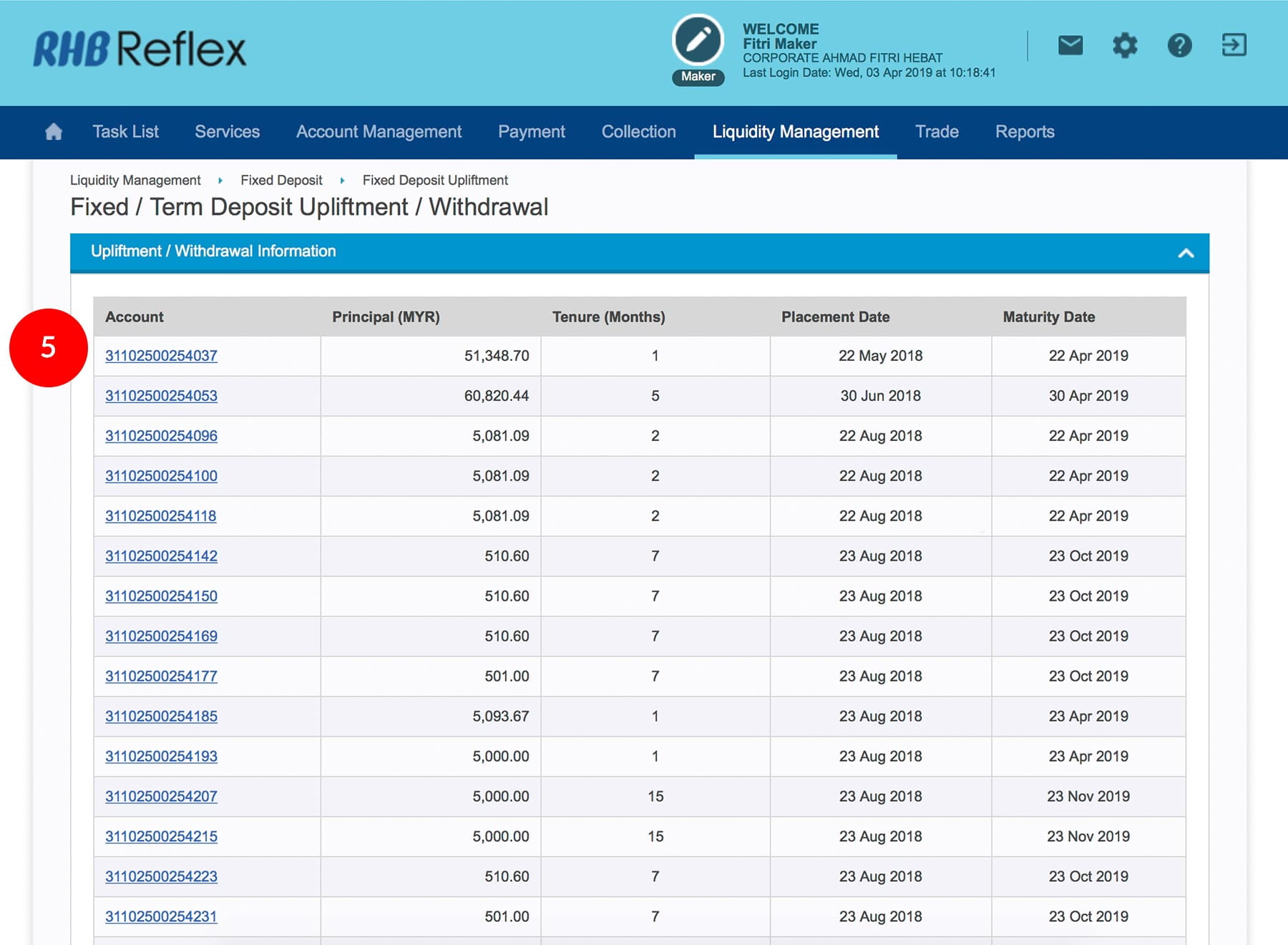
5.Select “Account”.
-
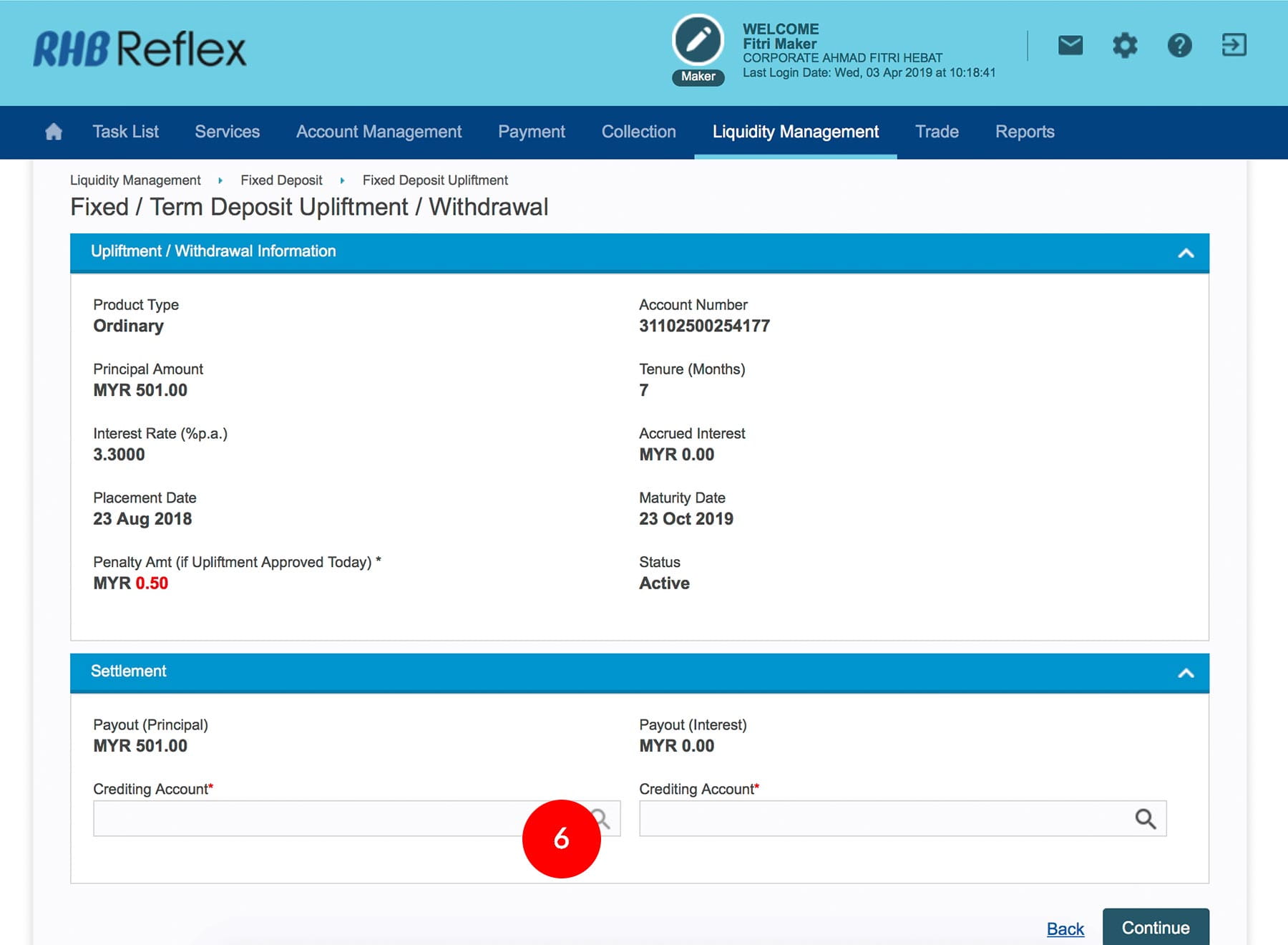
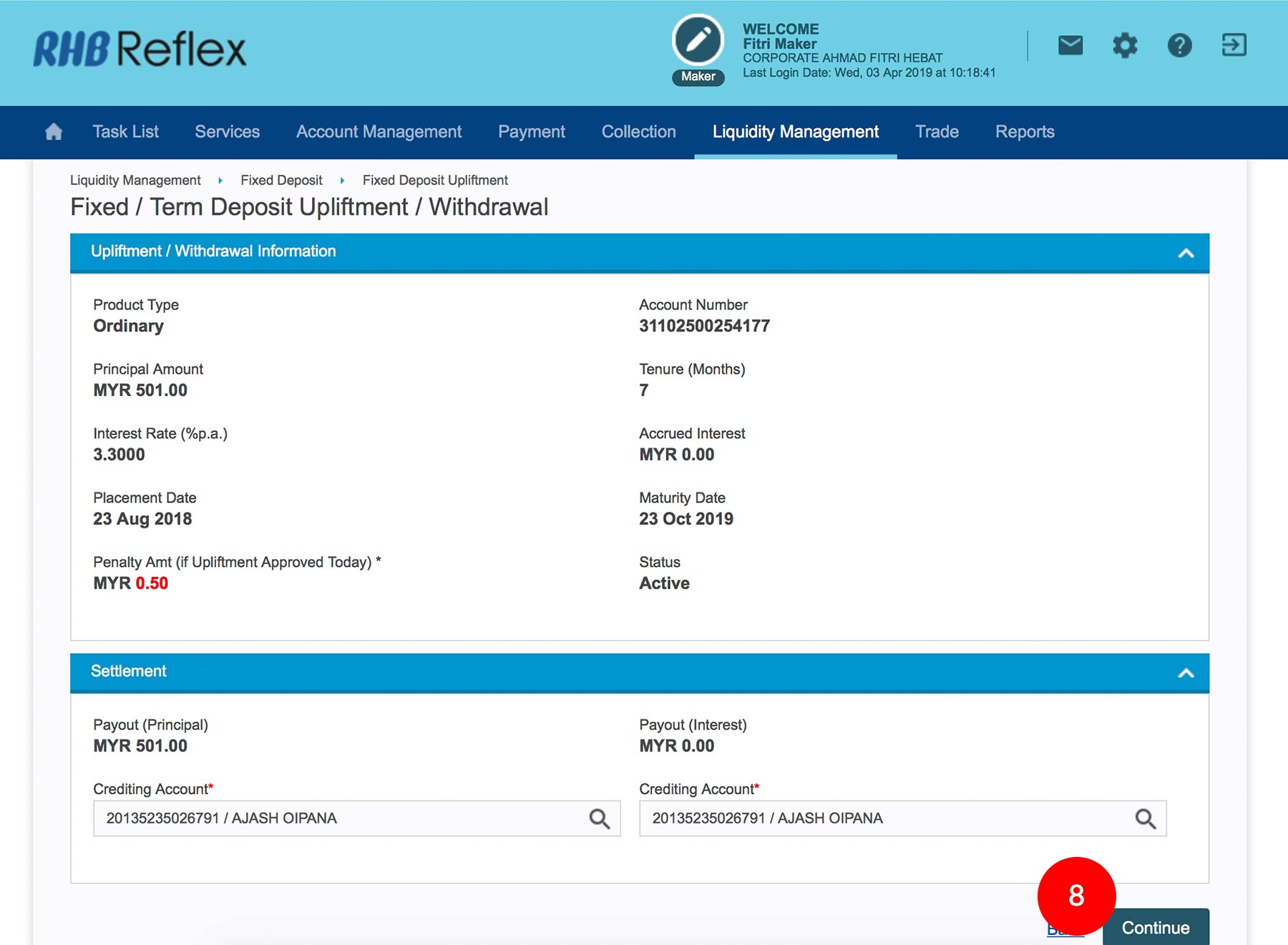
6.Select the “Crediting Account” for Payout (Principal) by clicking
. -
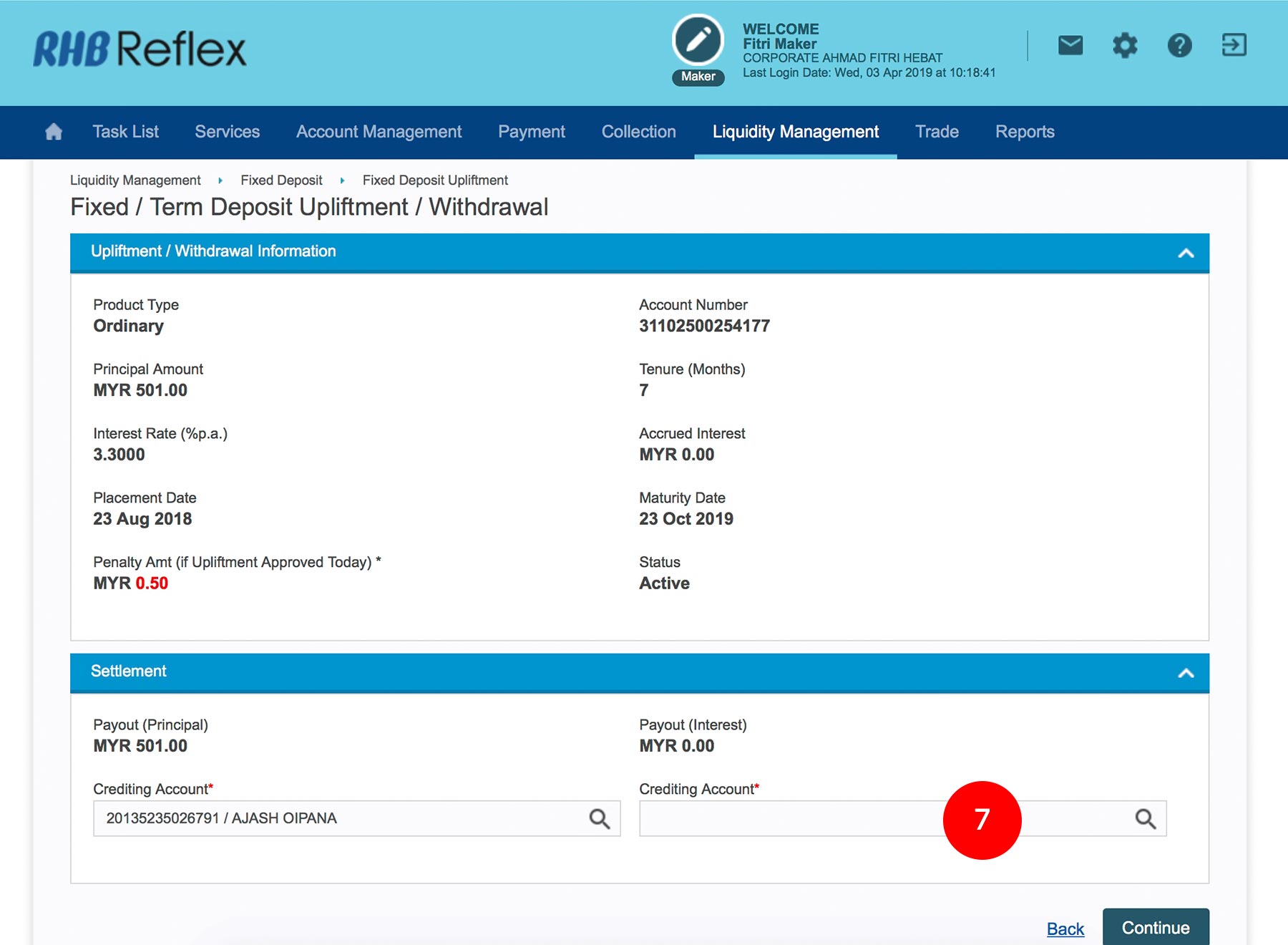
7.Select the “Crediting Account” for Payout (Interest) by clicking
. -
8.Click on the
to verify
the information. -
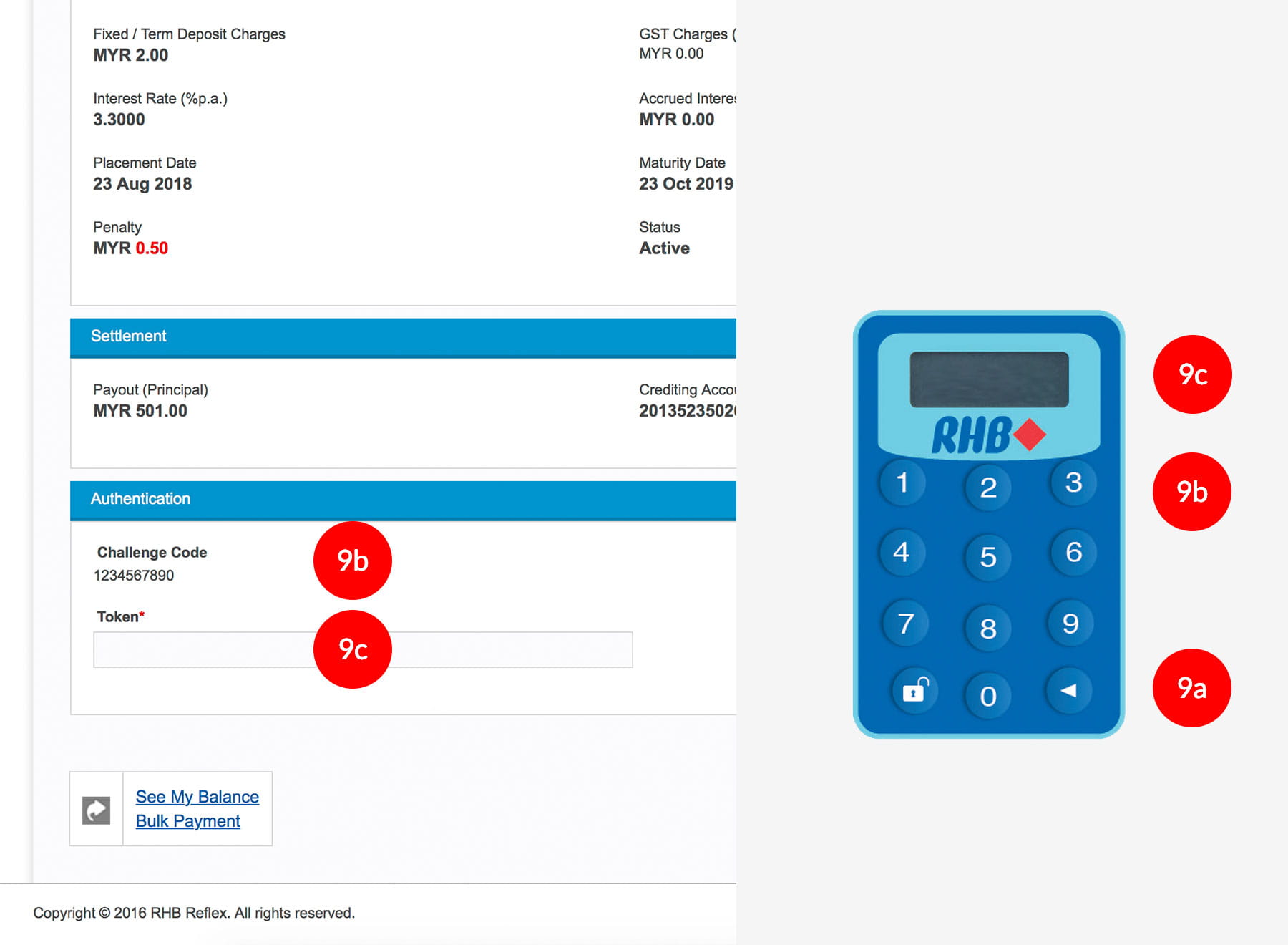
9.Key in the 8-digit Token Number. Please refer steps below:
a) Press the
button and enter the PIN Number. The word “APPLI”
will be displayed and press 2.
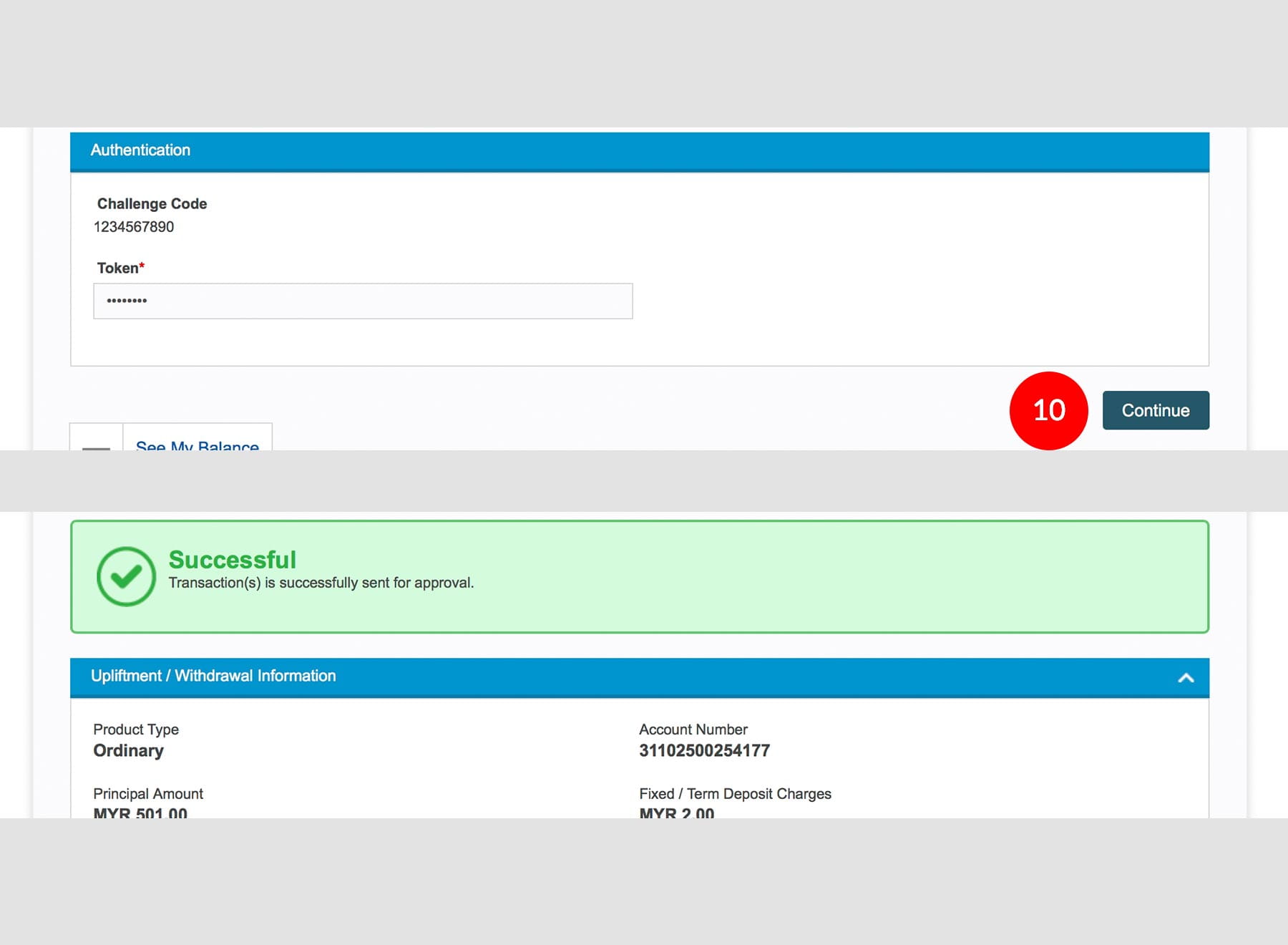
b) Enter the Challenge Code into the Token. c) An 8-digit number will be generated by the Token and key in this number at the Token field. -
10.Click on the
to
proceed.
1 of
10
-
1.Login as Data Entry and under “Liquidity Management” select “Fixed Deposit”.
-
2.Click “Fixed Deposit Upliftment”.
-
3.Select “Company Name” from the drop down menu.
-
4.Click
. -
5.Select “Account”.
-
6.Select the “Crediting Account” for Payout (Principal) by clicking
. -
7.Select the “Crediting Account” for Payout (Interest) by clicking
. -
8.Click on the
to verify
the information. -
9.Key in the 8-digit Token Number. Please refer steps below:
a) Press the
button and enter the PIN Number. The word “APPLI”
will be displayed and press 2.
b) Enter the Challenge Code into the Token. c) An 8-digit number will be generated by the Token and key in this number at the Token field. -
10.Click on the
to
proceed.
-
1.Login as Data Entry and under “Liquidity Management” select “Fixed Deposit”.
-
2.Click “Fixed Deposit Upliftment”.
-
3.Select “Company Name” from the drop down menu.
-
4.Click
.
-
5.Select “Account”.
-
6.Select the “Crediting Account” for Payout (Principal) by clicking
.
-
7.Select the “Crediting Account” for Payout (Interest) by clicking
.
-
8.Click on the
to verify
the information.
-
9.Key in the 8-digit Token Number. Please refer steps below:
a) Press the
button and enter the PIN Number. The word “APPLI”
will be displayed and press 2.
b) Enter the Challenge Code into the Token. c) An 8-digit number will be generated by the Token and key in this number at the Token field.
-
10.Click on the
to
proceed.